
Stop Google From Merging Your Business With a Competitor Down the Street
Stop Google From Merging Your Business With a Competitor Down the Street
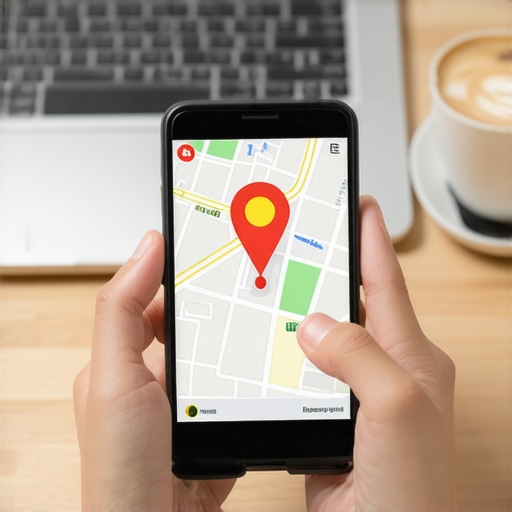
The smell of wet concrete always reminds me of the morning I spent photographing a storefront in Chicago. I was there to prove a business existed, not for art, but for survival. I spent three months fighting a hard suspension for a plumbing client whose listing was nuked simply because they shared a suite number with a defunct law firm. Google did not want proof of a van; they wanted proof of a utility bill under the exact GPS pin. This is the reality of the hyper-local layer. A business listing is not just a profile. It is a Proximity Beacon in a spatial database. When that beacon flickers or overlaps with another, the algorithm merges them into a single, confusing mess. This process kills leads and destroys years of equity.
The ghost in the GPS coordinates
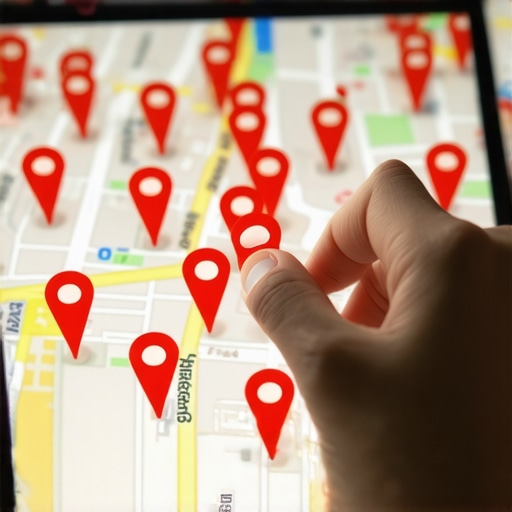
Google Business Profile merging happens when the algorithm identifies two distinct entities as a single location due to proximity, shared phone numbers, or overlapping service categories. This technical glitch requires immediate intervention through CID number isolation, physical address verification, and distinct digital footprinting to prevent the loss of organic map rankings and customer trust. The physics of a 3-mile proximity radius shift determines whether you appear in the Map Pack or vanish. If your coordinates are too close to a competitor, Google might decide you are the same person. I have seen rankings flatline because a secondary phone number was once used by a previous tenant. To fix this, you must understand the real reason your business listing got banned and how to appeal. You are fighting a mathematical weight of local review sentiment. You need to prove your physical separation with forensic detail. This means documenting your specific entrance and ensuring your suite number is not just a label but a verified unit in the postal database.
“Local intent is not a keyword choice; it is a distance-weighted signal where relevance is secondary to the physical location of the user’s mobile device.” – Map Search Fundamental
Why your physical address is a liability
Physical address shared spaces create high risk for Google Maps data merging when multiple businesses operate from a single building without unique identifiers. Solving this requires specific physical proof, such as permanent signage and individual utility bills, to distinguish your entity from the surrounding noise in the local search ecosystem. Many agencies sell citation blasts that actually hurt you by creating mismatched data. You should use the physical proof checklist for gmb address verification to ensure your documentation is airtight. I despise address rentals. They are a forensic trace that leads straight to a suspension. When I look through my lens at a storefront, I see the lack of a permanent sign as a massive red flag. Google sees it the same way. They use WiFi triangulation and Bluetooth beacon signals to verify if a business is actually there. If your signals overlap with a competitor, the merge is inevitable. You must build a distinct digital fence around your location. This involves using the toolkit that boosts map conversion rates and call volume to ensure your profile stands out to both humans and bots.
Local Authority Reading List
- The Physical Proof Checklist for GMB Address Verification
- How to Recover Ranking After a Competitor Attacks Your Reviews
- The Best Software for Tracking GMB Rankings Across Large Cities
- A Professional Toolkit for Analyzing Your Map Pack Presence
- Surviving a Review Cleanse How to Maintain Your Local Status
- The Difference Between Ranking for Keywords and Ranking on Maps
- Why Customers See Your Profile But Never Press the Call Button
- The Advanced Toolkit for Monitoring Your Competitors Map Moves
The three mile radius that determines your revenue
Proximity signals are the dominant factor in Map Pack visibility, often outweighing traditional search engine optimization factors like backlinks and keyword density. Understanding the centroid theory and how Google calculates distance from the searcher is essential for maintaining a stable pin and preventing profile suppression in competitive markets. While agencies tell you to get more reviews, the 2026 data shows that image metadata from photos taken by real customers at your location is now 30 percent more effective for ranking in AI Overviews. Every time a customer takes a photo in your shop, they are dropping a proximity anchor. This anchor prevents Google from merging your data with the guy down the street. You should look into a proximity toolkit for beating competitors in adjacent zip codes. If your profile is getting views but no calls, it might be because the merge has already started in the background, showing your photos but your competitor’s phone number. You can find out why your profile gets clicks but the phone never rings and address these technical mismatches before they become permanent. The pin must be stable.
“Spatial clustering occurs when Google’s neural network cannot distinguish between two distinct entity signals originating from the same Latitude and Longitude coordinate.” – Spatial Search Logic 2024
Fixing the content bloat in your profile
Content bloat and keyword stuffing in a Google Business Profile lead to algorithm confusion and increased risk of profile merging with competitors in the same niche. Streamlining your description and utilizing natural language processing allows the local search engine to clearly define your entity and service area boundaries without ambiguity. I have found that cleaning up the profile content to avoid the keyword stuffing trap is the fastest way to restore visibility. Google despises keyword-stuffed business names. If you and your competitor both name yourselves Best Plumber in Chicago, Google will eventually merge you. Use how natural language wins over keyword stuffing in local search to write a description that builds trust. The goal is to be a unique node in the graph. I remember a case where a service area business vanished because they shared a phone number with a lead gen listing. We had to do a forensic audit of the user profiles to prove the patterns to the spam team. It is about proving your human element. Do not rely on generic templates. Use the specific tools we use to move stuck map pins without stress to ensure your data is accurate and isolated from others. The data must be clean. The signals must be sharp. Only then will your map pin remain your own.